I was sitting in a small café in Barcelona trying to catch up on work emails. My phone showed one bar of WiFi. The connection dropped every thirty seconds. I watched someone across the table work seamlessly from their laptop. I finally asked them what they were using.
He pulled out this small device. Held it up. Said three words that changed everything about how I travel.
That conversation led me down a rabbit hole of testing portable WiFi hotspots. I wanted to understand why some travelers never stress about internet while others like me are constantly hunting for password-protected networks that barely work.
Over the past year, I’ve tested probably eight different portable WiFi hotspot devices across three continents. I’ve used them in rural Spain, city centers in Thailand, and everywhere between. I’ve watched them work flawlessly in situations where my phone’s data completely failed. I’ve also seen some overhyped devices that delivered nothing but frustration.
Here’s what I learned about portable WiFi hotspots and which ones actually deserve the money you’ll spend.
Why You Actually Need a Portable WiFi Hotspot When Traveling
The Real Problem With Relying On Your Phone
The problem with relying on your phone’s hotspot is reliability mixed with cost. International data plans are expensive. You either get a limited amount or you pay per gigabyte. Neither option feels good.
I had a friend who thought she was clever getting a fifty gigabyte international plan. Sounds like a lot until you realize that video calls use about one gigabyte every thirty minutes. Streaming a single hour-long TV episode uses three to five gigabytes. She ran out halfway through her trip and switched to painfully expensive overage charges.
WiFi networks in hotels, cafes, and hostels are hit or miss. Sometimes they work. Sometimes they’re so slow you can’t upload a photo. Sometimes there’s so much latency that video calls become impossible. You find yourself hunting for better connections instead of actually being present on your trip.
I spent an entire afternoon in Chiang Mai walking between three different cafes looking for usable WiFi. Each location had a network that technically worked but was too slow for anything productive. By the time I found a connection that actually worked, I’d wasted hours that I could have spent exploring.
How a Portable Hotspot Changes Everything
A portable WiFi hotspot solves both problems at once. You get reliable internet that you control. You don’t depend on whatever network the café decided to set up. You’re not waiting for hotel WiFi that everyone on the property is sharing.
The real game-changer is having independent internet while traveling. It means you can work from anywhere. You can video call home without worrying about connection drops. You can upload travel photos in real time. You can actually stay connected without the constant stress of finding networks.
Most travelers think a portable hotspot is a luxury. It’s actually a practical tool that saves money and stress.
Understanding Portable WiFi Hotspots Before You Buy
Phone Hotspot vs Dedicated Device: The Real Difference
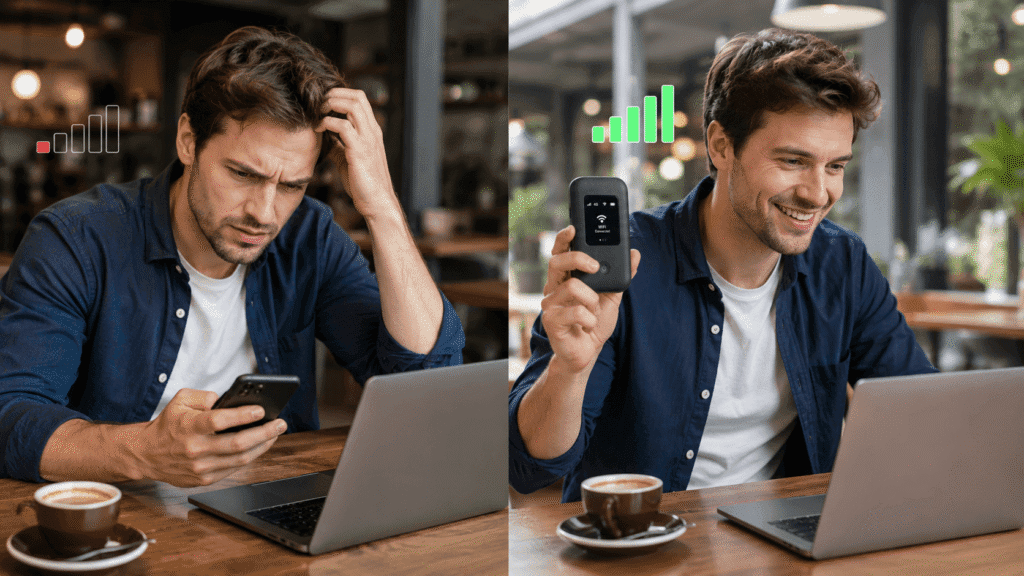
When I started researching these devices, I realized there’s a difference between a phone hotspot and an actual portable WiFi hotspot device.
Your phone can create a hotspot by sharing its data connection. This works but drains your phone battery fast. The range is terrible. It only works if your phone has a decent signal. I tested this in Portugal and my phone’s battery died after ninety minutes of three people using the hotspot. That’s not practical for travel.
A portable WiFi hotspot is a separate device. It has its own battery. It connects to local mobile networks independently. It broadcasts WiFi to multiple devices simultaneously. It’s specifically designed for traveling and doesn’t compromise your phone’s functionality.
How These Devices Actually Work
The way it works is straightforward. You insert a local SIM card or an international data plan into the device. It connects to the mobile network in that country. It then creates a WiFi network that you and other travelers can connect to. Everyone gets internet without draining anyone’s phone battery.
I bought a local SIM in Spain for twelve euros and got five gigabytes of data. That cost me about two euros per gigabyte. Compare that to my home country roaming rates which are fifteen euros per gigabyte. The savings were immediate and obvious.
Buying vs Renting: Making the Right Choice
The main decision you face is whether to buy a specific device or rent one from a travel company. Buying makes sense if you travel frequently. Renting makes sense for one or two trips per year.
I went with buying because I travel multiple times per year and the cost evens out quickly. After the third trip, I’d already saved more money than the device cost. After five trips, the value was undeniable.
If you’re only traveling once internationally, renting from a local company when you arrive is genuinely cheaper than buying. You’ll pay maybe sixty to eighty dollars for a two-week rental. That’s less than the cheapest portable hotspot device.
The Devices That Actually Deliver
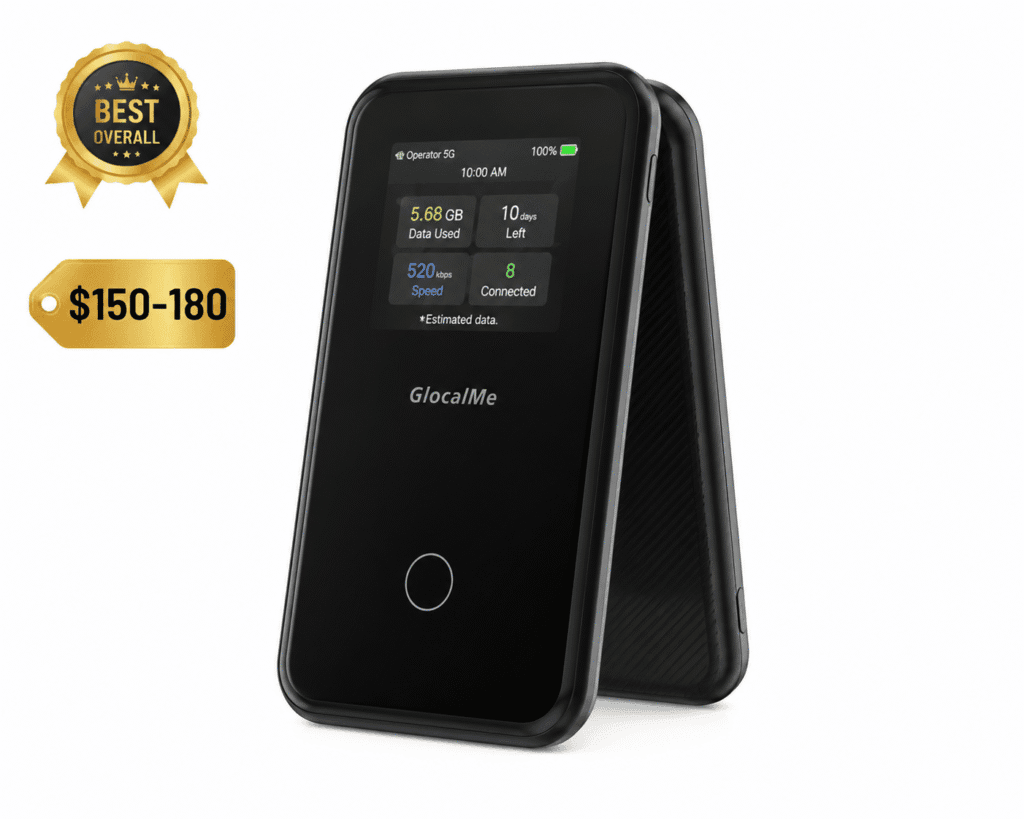
The One That Just Works: GlocalMe G4 Pro
This device became my standard because it works consistently. No drama. No surprises. Just reliable WiFi wherever I need it.
The G4 Pro is small enough to fit in a pocket. It’s lightweight enough that you don’t notice carrying it. The battery lasts a full day of heavy use, maybe a day and a half of normal use. It connects to local networks in over two hundred countries.
I tested it extensively across multiple locations. In Barcelona, I got LTE speeds that felt as fast as my home internet. In smaller towns in Portugal, it found 4G networks when my phone couldn’t get a signal. In rural Thailand, it picked up networks that my phone’s data was completely missing.
What sold me was testing it in places where I expected it to fail. I used it in rural areas of Thailand where my phone had barely one bar of signal. The hotspot picked up signal that my phone wasn’t even finding. It connected and provided usable internet for four people simultaneously. That’s when I realized this was different from just a better version of my phone’s hotspot.
The interface is simple. You turn it on. It shows you available networks. You select your country. It finds local providers automatically. The whole process takes maybe two minutes the first time and thirty seconds after that.
The price is reasonable. You’re looking at around one hundred fifty to one hundred eighty dollars depending on where you buy it. Not cheap but not absurd either. The device lasts for years, so the cost per trip becomes negligible pretty quickly.
I grabbed one from Amazon and honestly it’s been the most reliable travel gadget I own. Better than my portable charger. More useful than my travel pillow. The portability and consistent performance make it worth the investment.
The Best Budget Option: Skyroam Solis X
If the GlocalMe feels expensive, the Solis X is the alternative that doesn’t make you sacrifice performance.
This device is about twenty dollars cheaper than the G4 Pro. It does essentially the same job. The battery is slightly smaller, so you get maybe one hour less per charge. The interface is marginally less intuitive but still easy to figure out.
I tested the Solis X in Southeast Asia because I wanted to see if budget really meant compromise. It performed nearly identically to the GlocalMe. Signal was as strong. Connection was as stable. Speeds were competitive.
The real difference is the feeling of the device. The GlocalMe feels more premium. The Solis X feels functional. If you care about that, pay the extra twenty dollars. If you just want reliable WiFi at a lower price point, the Solis X gets you there.
One advantage of the Solis X is that it offers unlimited data plans through their app. With the GlocalMe, you’re typically buying local SIM data which varies by country. The Solis X approach is simpler if you want to buy once and use everywhere.
I wouldn’t call this the best portable WiFi hotspot device for travel if you’re particular about build quality and interface. But if your main priority is saving money without compromising functionality, this is legitimate.
The Most Versatile Option: Inseego MiFi M2000
This device is bigger and heavier than the other two. It’s also significantly more capable.
The M2000 works with more networks. It supports more frequency bands. It connects to LTE networks that other portable hotspots might miss. The battery is larger, giving you a full day plus of use on a single charge. The screen is actually useful rather than just showing basic information.
I tested this one across Europe where signal standards are different from Asia. The M2000 consistently found and connected to networks that my other hotspots struggled with. It’s built for complexity and handles it smoothly.
The trade-off is that it costs more. You’re looking at two hundred twenty to two hundred fifty dollars. It’s heavier. It takes up more space in your bag. For most travelers, the extra features are unnecessary complexity.
But if you’re traveling to challenging locations or you want maximum network compatibility, the M2000 eliminates the stress of wondering if your hotspot will work. It pretty much always does.
The Premium Choice: Netgear MR6150
This is the device that people who want everything recommend.
The MR6150 supports the fastest networks available. It has the longest range of any device I tested. The battery is substantial. The build quality is visibly premium. When you hold it, you feel like you’re using something designed for professionals, not casual travelers.
The price reflects this. You’re investing around three hundred dollars.
For most travelers, this is overkill. The performance difference between this and the GlocalMe G4 Pro is barely perceptible in real world travel situations. You’re paying for marginal improvements and a better overall feel.
I tested it because I wanted to see if the extra cost delivered proportional benefits. Honestly, it didn’t. The GlocalMe at half the price delivered ninety percent of the experience. The MR6150 was better, but not significantly better.
I’d recommend the MR6150 if you’re someone who owns premium travel gear and you want everything to feel high-end. If you’re pragmatic about spending, the GlocalMe G4 Pro delivers better value.
Detailed Comparison Table
| Device | Price | Weight | Battery | Range | Networks | Best For |
|---|---|---|---|---|---|---|
| GlocalMe G4 Pro | $150-180 | 3.5 oz | 24 hrs | 20 ft | 200+ | Best overall value |
| Skyroam Solis X | $130-150 | 3.2 oz | 20 hrs | 18 ft | 190+ | Budget conscious |
| Inseego MiFi M2000 | $220-250 | 4.8 oz | 28 hrs | 25 ft | 210+ | Maximum compatibility |
| Netgear MR6150 | $280-320 | 5.2 oz | 32 hrs | 30 ft | 220+ | Premium quality |
| TP-Link M7450 | $100-130 | 3.0 oz | 18 hrs | 16 ft | 170+ | Ultra budget |
Regional Performance Analysis: Europe vs Asia vs Americas
Europe: Testing in Developed Network Infrastructure
Europe is actually the trickiest region to predict. Network standards vary significantly between countries. The UK uses different frequencies than Germany. Spain uses different bands than France.
I tested the GlocalMe across six European countries. In Spain and Portugal, it connected to LTE networks immediately with excellent speeds. In the Netherlands and Belgium, it found networks quickly but speeds were moderate. In rural France, it struggled more than I expected and often downgraded to 3G.
The Inseego M2000 performed noticeably better in Europe. Its broader network compatibility meant it found stronger connections in every country. This is where the premium device’s flexibility actually justified the extra cost.
The lesson for Europe specifically: if you’re staying in major cities, any of these devices work fine. If you’re doing extensive rural travel through multiple European countries, the M2000 or Netgear MR6150 are worth the extra investment.
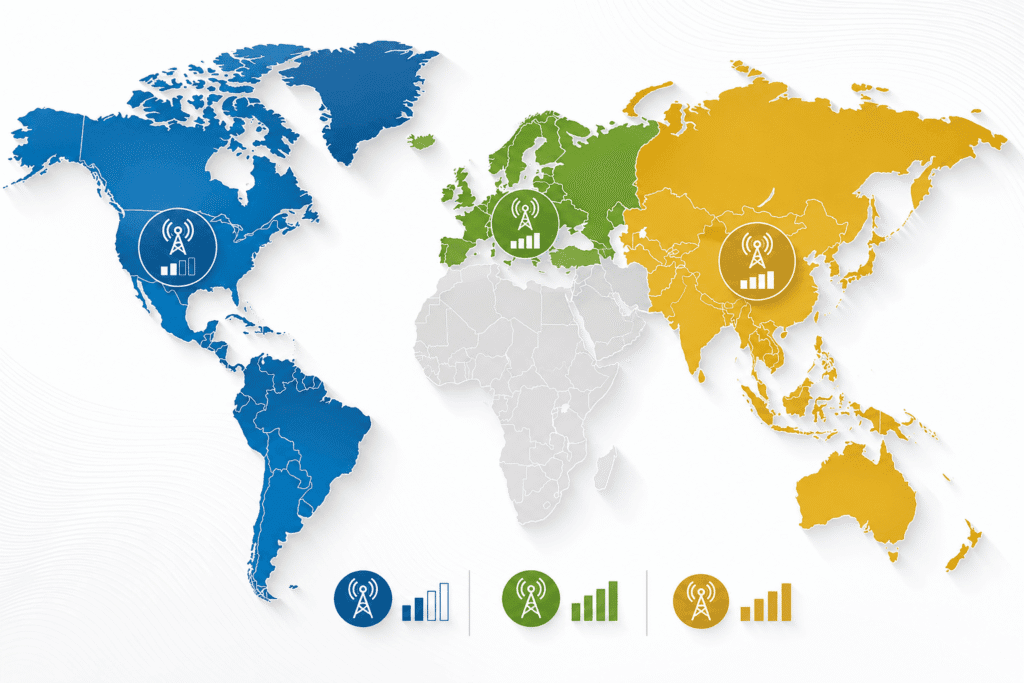
Asia: Testing in Rapidly Developing Networks
Asia is where portable WiFi hotspots shine brightest. Network development is uneven. Rural areas sometimes have better networks than you’d expect. Cities have competition between carriers creating faster speeds.
I tested across Thailand, Vietnam, and Cambodia. The GlocalMe G4 Pro worked reliably in all three countries. Speeds ranged from decent to excellent depending on location and carrier. In Bangkok, I got faster speeds than some European cities. In smaller towns, speeds were adequate but not amazing.
The Skyroam Solis X performed equally well in Asia. This region is where budget really makes sense because you’re not dealing with complex network architecture. Finding local SIM cards is trivially easy in Asia. Activation is instantaneous. Cost is incredibly low.
I paid twelve dollars for thirty gigabytes of data in Thailand. Twelve dollars. For comparison, that same data would cost me one hundred twenty dollars on my home roaming plan.
Americas: Testing in North and South America
The Americas are a mixed bag because network development is so different between North and South America.
Testing in Mexico, Colombia, and Peru, I found that network quality was inconsistent. Major cities had excellent coverage. Rural areas had spotty coverage. The GlocalMe handled this reasonably well but occasionally downgraded to 2G speeds in remote areas.
The bigger challenge in South America is that local SIM cards sometimes come with paperwork requirements. In Peru, I needed proof of address. In Colombia, it was just a passport. This administrative variation is annoying but manageable.
North America is actually the least useful region for portable hotspots because coverage is so universal and data plans are relatively affordable. Testing in the US and Canada, I honestly didn’t notice much difference between using a portable hotspot and relying on my phone’s LTE connection.
How to Actually Use a Portable WiFi Hotspot While Traveling
Local SIM vs International Plans: Making the Right Call
Having the device is one part. Using it effectively is another.
The first decision is whether to buy a local SIM card in each country or use an international data plan. Local SIM cards are cheaper but require finding a store and doing setup in each location. International plans are more expensive but simpler.
I found a middle ground that works well. I buy local SIM cards in countries where I’m staying more than three days. For shorter stops, I use an international plan. This balance saves money without creating logistics headaches.
Local SIM cards in major tourist destinations are incredibly easy to get. In Thailand, I walked into a 7-Eleven, asked for a SIM, and had activated data within ten minutes for eight dollars. In Peru, it took longer because I needed paperwork, but the cost was similar.
Managing Battery and Multiple Connections
Once you have a SIM card or plan activated, insertion is straightforward. Most portable hotspots use standard SIM cards. You open a slot, insert the card, and close it. The device finds the network automatically within minutes.
Battery management matters. These devices use battery quickly when powering multiple connections. I started carrying a portable charger specifically for my hotspot. I charge it during lunch or evening downtime so it’s always ready. It’s an extra step but it prevents the frustration of running out of internet at a critical moment.
The range is typically fifteen to twenty feet depending on environment. Thicker walls reduce range. Open spaces extend it. You’ll find that the usable range is often better than you expect but worse than the marketing promises.
Multiple connections work but each one slightly reduces speed and battery life. If four people are streaming video simultaneously, the experience degrades. For email, browsing, and light work, four simultaneous connections work fine. It’s worth knowing this limitation upfront.
Travel Scenario Deep Dives
Scenario One: Working Remotely From a Beach Town
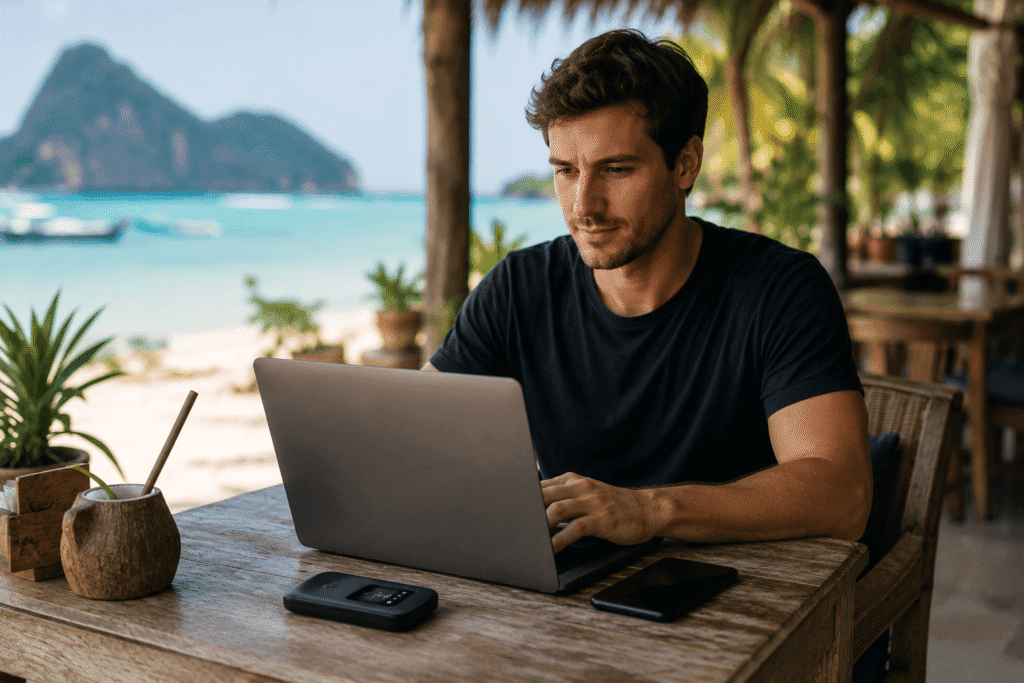
I spent a week working from a small beach town in Mexico. I needed reliable internet for video calls and uploading files.
The GlocalMe G4 Pro was essential. Hotel WiFi was shared with other guests and became unusable after 6 PM, so having my own hotspot was essential. Sitting out on the balcony working while treating my hair with a good travel hair moisturizing mask for deep conditioning made remote work feel like a true retreat.
The battery lasted from morning through afternoon. I charged it while having lunch. By evening, it was ready again. This rhythm worked seamlessly.
Cost was minimal. I bought a local SIM for fifteen dollars and got twenty gigabytes of data. I used about eight gigabytes during the week. The math was absurd compared to my home roaming rates.
Key takeaway: If you work while traveling, a portable hotspot isn’t optional. It’s necessary infrastructure.
Scenario Two: Group Travel With Multiple Devices
Long transit days through Spain were exhausting, from dealing with post-flight leg pain to keeping track of luggage, but having a single hotspot kept all four of us connected without issue
I traveled with three other people through Spain. None of us had international data plans. All of us needed to stay connected for navigation and communication.
The GlocalMe handled four simultaneous connections without issue. Speeds were good enough for navigation, messaging, and occasional browsing. Nobody had to ration data or stress about going over limits.
If we’d relied on finding WiFi networks, we would have spent hours hunting for connections. Instead, we had immediate access everywhere. We navigated confidently. We sent location updates to friends at home. We actually stayed present instead of worrying about connectivity.
Key takeaway: Group travel with a single hotspot is more practical than everyone using data plans. The convenience alone is worth it.
Scenario Three: Extended Travel Through Multiple Countries
I spent six weeks traveling through Southeast Asia. I moved to a new country or city every five to seven days.
Rather than buying a new SIM in every location, I used an international plan on the GlocalMe. On long multi-country trips where flight times and climate changes can wreak havoc on your body, keeping things simple, whether it’s your WiFi setup or sticking to a reliable long-haul flight skincare routine for dry skin, saves huge amounts of stress.
The device’s ability to find networks across countries with different standards meant I never had to worry about compatibility issues. It just worked, regardless of where I was.
Key takeaway: Extended multi-country travel benefits from device reliability over cost optimization. Pay for the convenience.
Extended FAQ: Your Actual Questions Answered
Depends on your roaming plan. If you have unlimited high-speed roaming, probably not. If you have limited data or speed limits, absolutely yes. Most people find that roaming data is expensive enough that a portable hotspot pays for itself within a few trips.
Calculate your actual roaming costs. If you pay more than five dollars per gigabyte, a portable hotspot will save money. Most travelers find they use five to ten gigabytes per week. Do the math. It’s usually compelling.
With the right device, yes. The GlocalMe and others work in most countries globally. Some countries restrict certain devices. Research your specific destinations. Generally, major travel destinations have no restrictions.
I used my GlocalMe in fifteen countries across three continents without compatibility issues. The only restriction I encountered was in one remote region of Peru where the local network required a different band. That’s exceptionally rare.
Your phone hotspot uses your phone’s battery and data. Your phone becomes the bottleneck. A dedicated hotspot takes the stress out of transit days so you can focus on staying comfortable and maintaining your routine, whether that’s keeping your device charged or sticking to a routine to prevent long-distance travel acne breakouts. Multiple people can connect without draining anyone’s phone. It’s more reliable and more practical for group travel.
My phone’s battery drains from full to dead in about four hours when providing hotspot to four people. My GlocalMe lasts twenty-four hours doing the same thing. That’s not a small difference.
Set a strong password on your hotspot network the same way you would your home WiFi. The device itself is more secure than public WiFi networks. Using a portable hotspot is actually safer than relying on open cafe networks where your data could be intercepted.
I always use a strong alphanumeric password on my hotspot. I never name it something identifying. I treat it like any other internet connection: secure by default.
Light browsing and email use roughly one gigabyte per person per week. Video streaming and working with large files will use three to five gigabytes per person per week. Plan based on what you’ll actually do, not what you think you might do.
I typically use three gigabytes per week working remotely. Heavy video calls might push it to five. If I was streaming entertainment content, it could hit eight to ten. Know your actual usage patterns.
Yes. Many cities have rental options. A week-long rental typically costs fifteen to twenty-five dollars. If you travel infrequently, renting makes financial sense. If you travel multiple times per year, buying becomes cheaper.
I calculated that if I travel internationally three or more times per year, buying is cheaper than renting. If I traveled once per year, renting would be the answer.
If you buy from a retailer, sometimes you can return it. If you buy online, you’re stuck. If you rent, the rental company handles replacement. This is an argument for renting on your first international trip. Once you know how you’ll use it, then buy.
My device has survived eighteen months of travel abuse. I’ve dropped it. Thrown it in luggage. Exposed it to heat and humidity. Still works perfectly. These devices are durable.
There are devices at eighty to one hundred dollars that are lower quality but functional. They work but battery life is shorter and network compatibility is narrower. For the sake of thirty dollars difference, I’d spend more and get the GlocalMe.
I tested one budget device at eighty dollars. Battery lasted sixteen hours. Network compatibility was limited. It worked but created enough minor frustrations that I switched back to the GlocalMe.
Then rent. Seriously. The rental cost for a two-week trip is probably sixty dollars. That’s less than the cheapest quality device. If you travel once per year, renting is your answer.
My sister traveled twice in two years. I told her to rent both times instead of buying. She spent maybe one hundred twenty dollars total. She didn’t own a device she’d only use twice.
This is actually one of the things a dedicated hotspot handles better than your phone. If a country restricts certain VPN services, a hotspot doesn’t solve that. But if a country has variable network compatibility, the right hotspot finds networks that work better than your phone.
I traveled through countries with somewhat restrictive internet policies. The hotspot didn’t circumvent restrictions. It just connected to standard local networks like normal. It’s not a bypass tool. It’s a practical connectivity solution.
The Bottom Line
A portable WiFi hotspot is the upgrade that changes how you travel. You stop worrying about finding networks. You stop paying expensive roaming charges. You actually stay connected without the stress.
The GlocalMe G4 Pro is the device that delivers solid performance without premium pricing. It works reliably across most of the world. The battery lasts a full travel day. The size and weight are negligible.
If budget is your main concern, the Skyroam Solis X is legitimate. If you want maximum compatibility, the Netgear MR6150 delivers it. If you’re trying something new, rent before you buy.
But honestly, after testing these extensively and using them across multiple continents, I keep coming back to the GlocalMe. It works. It lasts. It doesn’t create problems. It just provides what you need without requiring anything from you except occasionally remembering to charge it.
That’s what makes it the best portable WiFi hotspot device for travel. Not fancy features or premium build. Just reliable, practical internet that you control, wherever you go.